How to Clean Your Phone Speaker and Fix Muffled Sound on iPhone and Android
If your phone suddenly sounds quiet, muffled, or crackly during calls and music, the speaker itself may be fine. In most cases the problem is far simpler: dust, lint, and pocket debris collect in the tiny speaker grille and block the sound. A careful clean often restores normal volume in a few minutes, without any tools you do not already have at home.
Before you start, turn your phone off or at least turn the volume down, and work in good light. Phone speakers are small and delicate, so the golden rule is gentle pressure only. Never push anything sharp into the grille, and never use compressed air at close range, since that can push debris deeper or damage the mesh.
Step 1: Check that it is really the speaker
Start by ruling out the easy causes. Play a song or video and check whether the sound is low from both the bottom speaker and the earpiece, or only one of them. Try removing the case, since thick cases and case flaps sometimes cover a speaker opening. Check that Do Not Disturb or a focus mode is not limiting alerts, and make sure Bluetooth is not sending audio to headphones or a car speaker by mistake.
Also try a test call on speakerphone. If the other person hears you clearly but you can barely hear them, the earpiece grille may be clogged. If music sounds muffled but calls sound fine, the main bottom speaker is the likelier culprit. Knowing which speaker is affected tells you exactly where to clean.
Step 2: Brush the grille gently
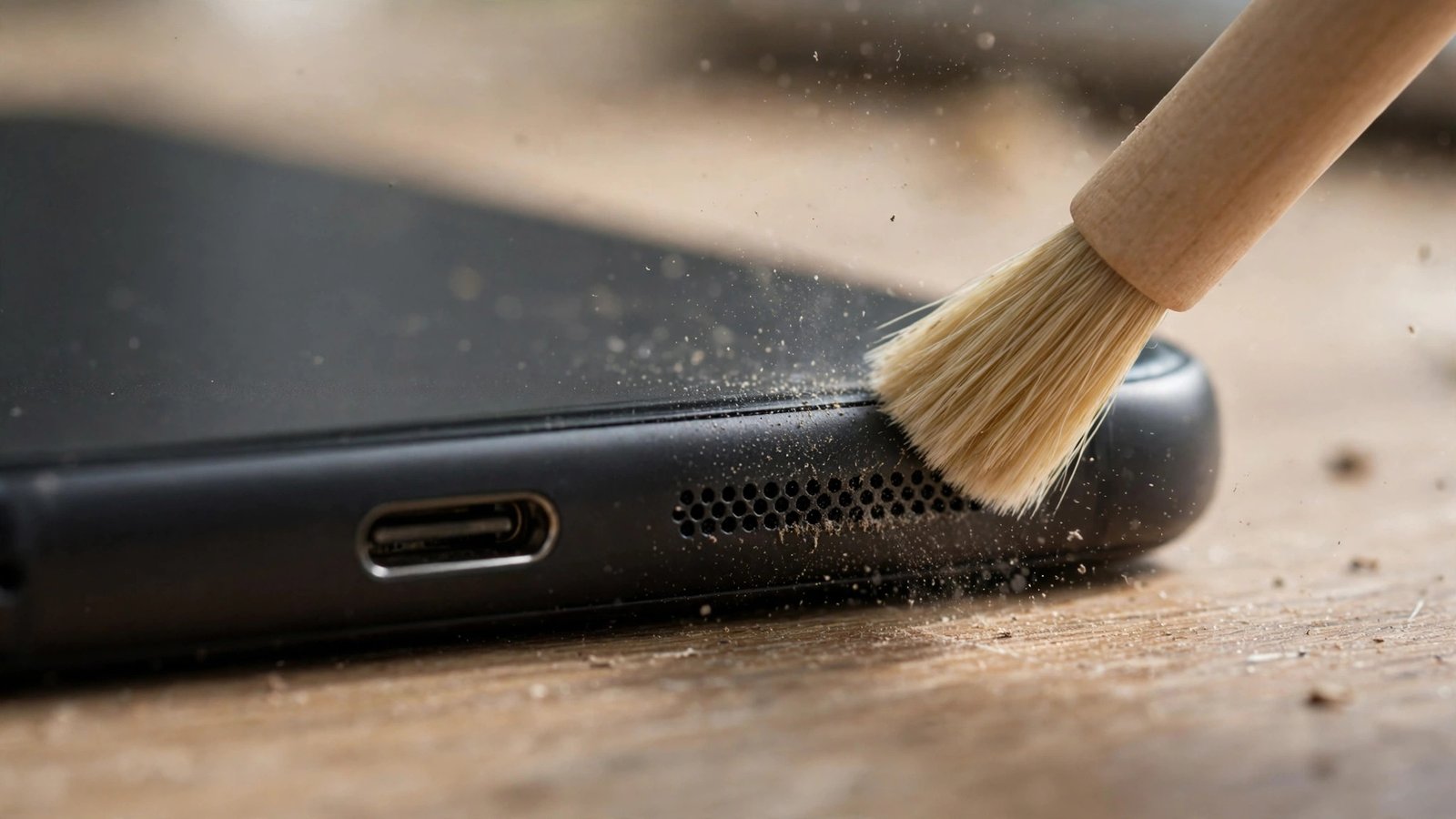
The safest cleaning tool is a soft, dry brush, such as a clean soft-bristle toothbrush or a small paintbrush. Hold the phone with the speaker facing down so loosened dust falls out rather than in, and brush lightly across the grille in short strokes. Angle the brush from a few directions to catch debris sitting at the edges of the holes.
For stubborn lint, a short strip of painter’s tape or masking tape can help. Press it lightly over the grille, then peel it away. Repeat with a fresh piece if needed. Avoid strong adhesive tape, since residue can make the problem worse. Do not use a pin, needle, toothpick, or SIM ejector tool to poke at the holes. Those can puncture the mesh or push dirt further inside, turning a simple clean into a repair job.
Step 3: Use sound to shake loose debris (optional)
Some phones include a speaker cleaning shortcut or a tone that plays a low buzzing sound to shake water and dust out of the speaker. On Android, you can find speaker cleaner apps and web tools that play such tones, and some phone makers include a similar feature in their own apps. Play the tone at moderate volume with the speaker facing down, then brush again lightly.
Treat this step as optional, not magic. It can help with light dust and water droplets, but it will not fix a grille packed with lint. If sound does not improve after one or two rounds, move on rather than repeating the tone many times at full volume.
Step 4: Wipe the outside and check the ports
Wipe around the speaker area with a dry microfiber cloth. If your phone has been near water, let it dry fully before charging or playing loud audio, and do not use a hair dryer on a hot setting. Check the charging port too, since lint there can cause a loose cable fit, but clean it only with a soft brush or a plastic pick made for the job, never metal.
After cleaning, play the same song or video you used for testing and compare. In many cases the difference is obvious right away: voices sound clearer and music regains its higher notes. If one speaker still sounds distorted or rattles at normal volume, stop and note which one it is, since that detail helps a repair shop diagnose the fault.
Step 5: Know when to stop and get help
A clean that does not help can point to a different problem. Water damage, a loose speaker, or a software fault can all sound similar to a clogged grille. If the speaker crackles even after cleaning, if sound cuts in and out when you press near the speaker, or if the phone recently took a hard fall or a swim, book a repair check rather than digging deeper.
Also avoid liquid cleaners, alcohol, and vacuum cleaners on the speaker grille. Liquids can seep past the mesh, and strong suction can stress small parts. A phone that is still under warranty should go to an authorized repairer for any internal work, since opening the device yourself can void coverage in most cases.
A quick speaker clean every few months is good phone hygiene, especially if you carry your phone in a pocket or bag. Keep the brush dry, keep the pressure light, and keep sharp objects away from the grille, and your phone will usually reward you with sound that is as clear as the day you bought it.
Frequently Asked Questions
Why does my phone speaker sound muffled all of a sudden?
The most common cause is dust or lint blocking the speaker grille, which muffles high sounds and lowers volume. A gentle brush and a tape lift usually clear it. If cleaning does not help, the cause may be water damage, a loose speaker, or a software issue.
Can I use compressed air to clean my phone speaker?
It is best not to. Strong bursts of compressed air can push debris deeper into the speaker or damage the mesh. A soft dry brush, with the speaker facing down, is the safer choice for home cleaning.
Is it safe to use a speaker cleaning tone on my phone?
Yes, at moderate volume and for a short time, a cleaning tone can help shake out light dust or water droplets. It will not fix a grille packed with lint, so combine it with gentle brushing and stop if there is no improvement.



Post Comment