How to Record a Phone Call on iPhone and Android in Canada
You might want a record of what a company promised you, a copy of an interview, or a way to remember the details of a medical appointment. Both iPhone and Android now make this possible, though the steps depend on your phone and your software version.
The rules matter as much as the buttons. Canada has its own laws about recording calls, and your phone will usually announce the recording to everyone on the line.
Before you record: the rules in Canada
In Canada, the law on recording calls is more forgiving than in many other countries. Under section 184 of the Criminal Code, it is an offence to intercept a private communication, but there is an exception: a person who is a party to the conversation may record it. In plain terms, Canada follows a one-party consent rule. If you are part of the call, you can generally record it without asking the other person first.
That does not mean you should record in secret. Your iPhone will play an audible announcement to everyone on the call when recording starts, and Android phones that offer recording often show a clear notice as well. A quick line such as "I am going to record this call so I have a record of what we agree" covers you and puts the other person at ease.
A few cautions still apply. Recording a call you are not part of can be an offence, and workplace rules can be stricter than the law, so check your employer's policy before recording work calls. This guide is general information, not legal advice.
Record a call on iPhone
Apple added built-in call recording in iOS 18.1, and it is available on supported models running that version or later. You will find it on iPhone 15 Pro models and the iPhone 16 range. Older iPhones do not have the feature, even after updating.
Recording a call on a supported iPhone is straightforward:
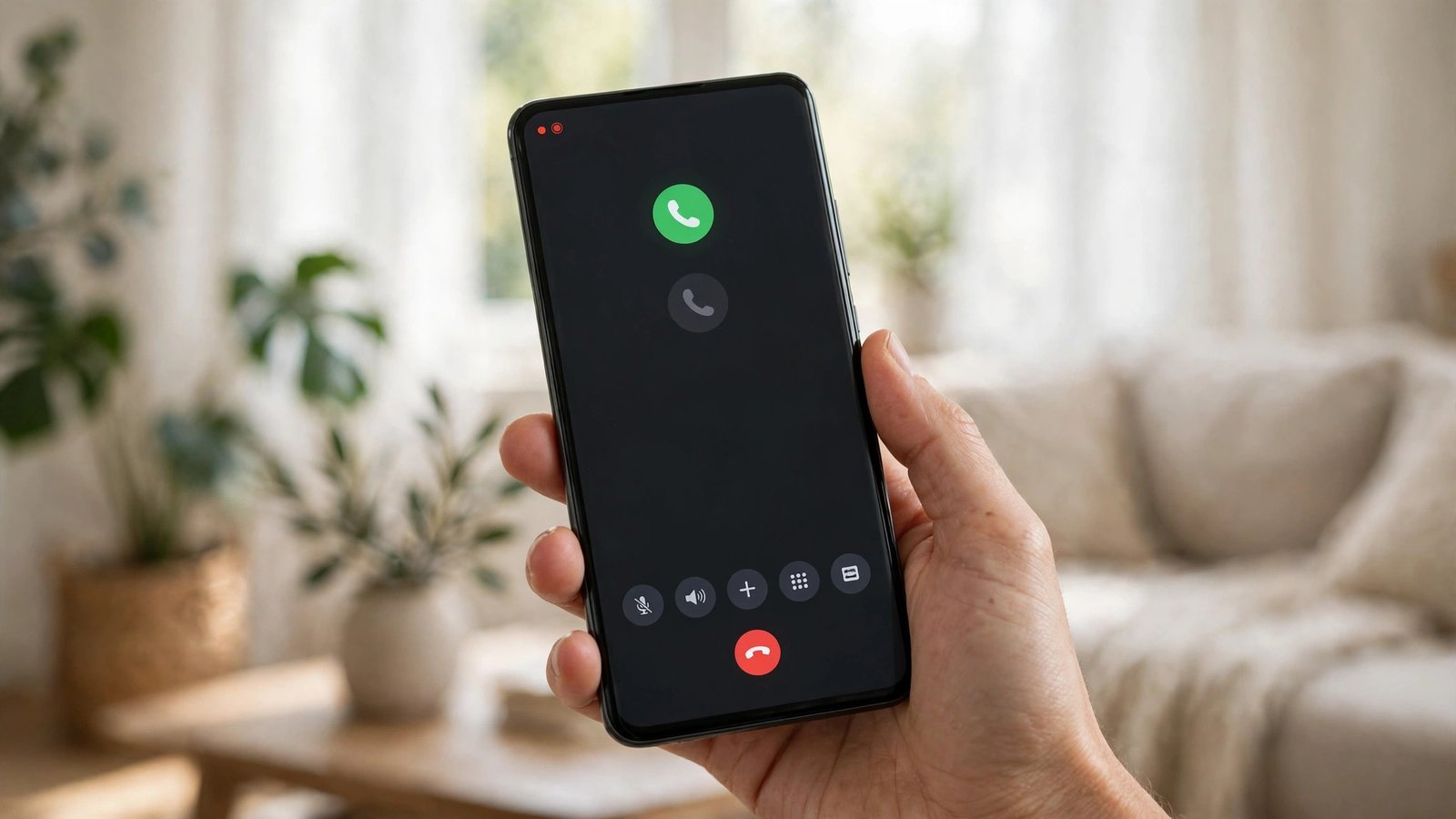
1. Start or answer a phone call as usual. 2. Look for the record button on the call screen, shown as a small waveform icon near the top left. Tap it. 3. An audible message tells everyone on the call that recording has started. 4. To stop, tap the record button again, or simply end the call. The recording stops automatically when the call ends.
Your recording is saved in the Notes app, in a folder called Call Recordings. Open Notes, find the recording, and tap it to play it back. On models that support Apple Intelligence, you will also see a written transcript of the call next to the audio.
If you do not see the record button, check your software version first. Open Settings, then General, then Software Update, and make sure your iPhone is running iOS 18.1 or later. If your iPhone is an older model, the built-in option will not appear.
Record a call on Android
Android is less consistent than iPhone, because the feature depends on your phone maker and carrier. On many Android phones, the built-in recorder lives in the Google Phone app, the default dialler on Pixel phones and many other brands.
To check whether your phone supports it, open the Phone app and start a call. Look at the call screen for a Record button or a three-dot menu. If you see Record, tap it. Your phone may play a short announcement to the other person, and a red dot or timer shows that recording is active. Tap Stop, or end the call, to finish. The recording is saved in the Phone app's call history, or in your phone's Files app under a recordings folder.
Samsung phones have their own path. On some Galaxy models, the recorder appears as a Record button on the call screen. On other Galaxy phones, especially carrier models sold in Canada, the button may be missing entirely.
If your phone has no built-in recorder in the call screen, check the Phone app's settings. Open the Phone app, tap the three-dot menu, then Settings, then Call recording. Some phones let you turn on automatic recording for all calls, or for unknown numbers only.
If your phone has no built-in recorder
Many phones sold in Canada still have no call recording option. Apple limits it to newer models, and many Android makers leave it out. When that is the case, you still have options.
The simplest workaround is a second device. Put your phone on speaker, and record with the voice recorder app on another phone, a tablet, or a laptop. The audio quality is lower than a direct recording, but it works on any phone and needs no special software.
Third-party call recording apps exist on the Google Play Store, but they come with real limits. Since Android 10, Google has restricted how these apps can access call audio, so many of them record only your side of the conversation, or rely on the speakerphone. Read recent reviews before installing one, and avoid any app that asks for access it does not need.
Find, share and delete your recordings
A recording is only useful if you can find it later. On iPhone, recordings live in the Notes app under Call Recordings, with the contact name or number and the date. On Android, recordings usually sit in the Phone app's Recents tab, next to the call, or in the Files app under a folder for recordings. Delete the ones you no longer need, and move the important ones to cloud storage or your computer so they survive a lost or broken phone.
Frequently Asked Questions
Is it legal to record a phone call in Canada?
In most cases, yes. Canada follows a one-party consent rule under section 184 of the Criminal Code, which means a person who is part of a private conversation may record it. Recording a call you are not part of can be an offence. This is general information, not legal advice.
Why does my phone announce that the call is being recorded?
Both Apple and Google designed their recorders to tell everyone on the call. On iPhone, an audible message plays when recording starts. Android phones that offer recording usually show a notice as well.
Where do call recordings go on iPhone and Android?
On iPhone, recordings are saved in the Notes app in a folder called Call Recordings, with a transcript on models that support Apple Intelligence. On Android, recordings are usually saved in the Phone app's call history or in the Files app.


Post Comment